Photo Recovery
- 4.1
- Rating
- 500.00K
- Installs
- Free
- Price

 Analysis by App-foxy
Recovering a deleted photo is one of those tasks that feels urgent only after the mistake has happened. I looked at Photo Recovery as a practical Android productivity app for that exact moment: finding a missing image without turning the process into a complicated file-management project. Its focus is narrow, which is useful, but it also means expectations need to stay realistic. This is not a complete backup system or a replacement for careful storage habits. It is a recovery tool that can be worth trying when a picture has disappeared and you want a simple first step.
The app is developed by Ahmeed yoonis and is available free of charge for Everyone. It has built a sizable audience, with more than half a million installs and an average rating of 4.3 from roughly two thousand ratings. Those figures suggest that many people find the basic idea useful, although they do not guarantee that every deleted file will be recoverable on every phone. Recovery depends heavily on what happened after deletion, where the image was stored, and how the device manages its storage.
What Photo Recovery feels like in real use
The most appealing part of Photo Recovery is its direct purpose. Instead of asking me to organize folders, create a backup plan, or learn a complicated desktop utility, it is aimed at the immediate problem of locating deleted pictures. That makes it a sensible option for someone who accidentally removed a vacation image, lost a screenshot, or cleared a folder before realizing it still contained something important.
You May Also Like

 Blood Strike: 2.5 Anniversary
Blood Strike’s Loadouts Turn Every Drop Into a Tactical Gamble
A close look at Blood Strike’s custom loadouts: how fast access to signature weapons reshapes its battle royale rhythm, rewards preparation, and narrows the gap between fights.

 Pandora - Music & Podcasts
Pandora’s Music Is Easy to Start, but Harder to Recover
Pandora’s strength is its low-effort path from a seed to a station. Its weak spot is how much confidence it asks you to place in connection, setup, and quiet recovery.

 8 Ball Pool
 Is Built on Rivalries, Rematches, and Routine
A close look at the rivalries, rematches, shared routines, and unanswered safety questions that turn a quick pool match into a persistent mobile community.

 Samsung Music
’s Quiet Strength Is Playing What You Already Own
Its reach comes less from spectacle than from dependable access to a personal library. That simplicity is both the app’s strongest retention engine and its ceiling.

 AccuWeather: Weather Radar
AccuWeather Review: A Quick, Clear Forecast for Everyday Decisions
For everyday plans, the best forecast is the one you can understand quickly. AccuWeather makes rain timing, radar, and local conditions easy to act on, with a few trade-offs.

 Hill Climb Racing
Why Hill Climb Racing Still Turns Crashes Into One More Run
A tiny car, a bumpy hill and one more upgrade: Hill Climb Racing keeps resurfacing because its simple chaos makes every near-miss feel personal.
More From Our News Desk
View All News


I would approach it with a clear order of operations. First, stop using the phone more than necessary. New photos, videos, downloads, app caches, and system activity can reuse storage space that once held the deleted image. Then open the recovery tool and inspect what it can find. This small habit is more important than repeatedly scanning in the hope that persistence alone will bring a file back.
A realistic example is a family photo deleted while cleaning the gallery. If the image was removed recently and its storage area has not been reused, a recovery scan may identify a usable copy or a recoverable file fragment. If the phone has since recorded many videos, installed large apps, or received a major batch of downloads, the chances can be worse. The app can help search, but it cannot reverse storage activity that has already overwritten the original information.
That distinction is essential because “deleted” does not always mean the same thing on Android. A gallery may move an image to a trash area, a cloud service may retain it separately, or the file may be removed from visible folders while portions remain in storage. Those situations call for different solutions. I would check the phone’s gallery trash and any backup service first, then use Photo Recovery as a further attempt rather than treating it as the only place a missing picture might exist.
The right expectations before scanning
The app’s store summary is Restore Deleted Files, while its short description identifies Photo Recovery. That wording makes the purpose clear, but it should not be read as a promise that every file can be restored perfectly. A recovery result may have an original filename, a generic filename, incomplete metadata, or a preview that needs careful checking. The practical question is not only whether something appears in the results, but whether the recovered image opens correctly and contains the details you remember.
I recommend comparing recovered images against the original situation. Look for the correct subject, image orientation, resolution, and visible damage. A thumbnail that looks promising is not enough if the full file is corrupted. When several similar images appear, save only the versions you can identify. This keeps the recovery folder manageable and reduces the chance of confusing a cached preview with a complete photo.
Another useful habit is to prepare a separate destination before restoring anything. If the app lets you choose where a recovered file goes, avoid placing it in the same crowded folder where the deletion happened. A dedicated recovery folder makes later checking easier and prevents recovered files from being mixed with ordinary camera images. If the app’s available choices are limited, I would still rename or organize the results afterward rather than immediately returning everything to the original location.
Trust starts with what the app visibly asks for
Recovery apps naturally deal with sensitive material because personal photographs are often private. That makes the permission screen and any in-app explanations especially important. I would read each Android permission request when it appears and ask whether it matches the task being performed. Access related to photos or files may be necessary for scanning and saving, while an unrelated request deserves more caution.
I would not grant access automatically just because the app is free. Before selecting broad access, check whether Android offers a narrower choice, such as selected photos or limited media access, and use the smallest option that still allows the recovery attempt. A narrow choice may restrict what the app can find, but that is a reasonable trade-off when the missing image is not worth exposing an entire library.
The same principle applies after the scan. Once the recovery job is finished, revisit the phone’s permission settings and remove access that is no longer needed. This does not prove anything about how an app handles information internally, but it gives me more control over what the app can reach in the future. For a tool used occasionally, revoking access between recovery attempts is a sensible privacy routine.
I also pay attention to visible choices around saving, sharing, and opening files. A recovery utility should not pressure me into sending a photo elsewhere just to inspect it. If a result can be reviewed locally, that is preferable for family pictures, identity documents, work images, and anything that would be uncomfortable to expose. I would avoid using the app on another person’s private media without permission, even if the phone belongs to me.
Data-sensitive moments deserve extra care
The riskiest moment is not necessarily the scan itself; it can be the point where a recovered image is opened, exported, or shared. A deleted photo might contain a passport, medical note, private conversation, child, home address, or workplace material. Before restoring a batch, I would inspect the results and select only the files that are genuinely needed. Bulk recovery is convenient, but it can also bring back items I intentionally deleted.
This is where Photo Recovery is less suitable for people who want a selective, highly controlled archival workflow. If you need detailed audit trails, professional evidence handling, or guaranteed preservation of original metadata, a dedicated computer-based recovery process may be a better fit. The app is more appropriate for ordinary personal mistakes where convenience matters more than forensic precision.
I would also be careful with storage destinations. Restoring to a shared gallery, an automatically synchronized folder, or a device used by several family members can make private images visible to others. Before saving, check whether the destination is included in automatic photo backup or shared albums. If it is, move the recovered file to a private location first and decide deliberately whether it should be synchronized.
There is a second privacy issue: deleted files may include things I removed on purpose. A scan can surface old screenshots, duplicate images, or sensitive documents that I no longer want. Recovery should therefore be treated as a review process, not a command to restore everything. I would examine each result, keep only what has a clear purpose, and securely remove unwanted copies afterward using the phone’s normal file controls.
How it compares with the usual alternatives
The first alternative is the gallery’s built-in trash or recently deleted area. That option is often easier and more predictable because it preserves the photo through the gallery’s own workflow. It is the better first choice when the deletion was recent and the image still appears there. Photo Recovery becomes more interesting when the gallery no longer shows the item or when the user is unsure which folder contained it.
Cloud backup is another alternative, but it depends on synchronization having been enabled before the deletion. A backup service can be superior because it may retain the original image outside the phone’s current storage. On the other hand, it may not include screenshots, downloads, messaging attachments, or folders excluded from backup. Photo Recovery can serve as a local second attempt for those cases, while cloud history remains the safer long-term protection.
Manual file browsing is useful when the image was moved rather than deleted. Searching camera, download, messaging, and application folders can reveal a misplaced file without using a recovery tool. I prefer this check when the gallery is showing an empty album but the file may still exist elsewhere. Recovery software is not automatically better than a careful search; it is most valuable when ordinary browsing has failed.
Desktop recovery programs can offer deeper scanning and more control, particularly when the files are important or the phone has complicated storage behavior. They may also require more technical knowledge, additional equipment, or a willingness to work through a less friendly process. For a single accidentally deleted picture, Photo Recovery is easier to try. For irreplaceable work, legal material, or a large damaged collection, I would consider a professional-grade route instead of relying on a mobile app alone.
Who will benefit and who should skip it
This app makes the most sense for Android users who want a straightforward attempt at recovering personal photos and do not want to begin with desktop software. It is especially practical after an accidental deletion, a mistaken cleanup, or a missing image that no longer appears in the normal gallery. The free price removes a financial barrier for a one-time attempt, which is helpful when the user is already dealing with an unpleasant surprise.
It is less suitable for anyone expecting guaranteed restoration, complete historical backups, or professional-grade file analysis. It should also be approached carefully by people with large private libraries, shared devices, or strict workplace privacy requirements. In those situations, limiting permissions, checking destinations, and considering a more controlled recovery method matter more than convenience.
Users should also remember that installing any new app after a deletion can create additional storage activity. If the missing file is extremely important, avoid filling the phone with unrelated downloads and consider getting expert advice before experimenting. A recovery attempt is not risk-free simply because the interface looks simple. The sooner the search begins and the less the phone is used beforehand, the more sensible the attempt becomes.
Version, compatibility, and day-to-day practicality
Photo Recovery currently appears as version 4.7.0 and requires Android 7.0 or later. That gives it a broad range of compatibility across Android devices, though individual results can still vary because manufacturers handle galleries, permissions, storage, and file deletion differently. An app working on one phone is not proof that it will behave identically on another.
The Everyone content rating is appropriate for a utility whose purpose is file recovery, but it does not remove the need for adult supervision on shared family devices. Children may restore images without understanding where they are saved or why some deleted files reappear. I would explain the process before letting a child use it, especially if the phone contains private family or work material.
The rating of 4.3 is encouraging, and the app has attracted around two thousand ratings, but I would treat that as a sign of general usefulness rather than a guarantee for a particular deletion scenario. Recovery success depends on storage conditions, file type, timing, and device behavior. The number of written reviews is smaller than the number of ratings, so I would focus more on the app’s clear purpose and my own cautious workflow than on assuming every user experience will match.
Small habits that improve the recovery attempt
My first tip is to stop recording new media immediately after noticing the deletion. A few minutes of normal phone use can create more storage activity than expected, especially when messaging apps download attachments or the camera generates large video files in the background. Put the phone aside, check the gallery trash, and only then begin a focused recovery attempt.
My second tip is to search by context rather than by appearance alone. If the missing image was a screenshot, look for screenshot-related folders; if it came from a message, remember that the messaging app may have stored a separate copy; if it was edited, check whether the editing app created an exported version. This can save time and may find a complete copy without requiring recovery at all.
My third tip is to restore the most important results first. If the scan produces many candidates, start with the one photo that matters most and verify that it opens properly. Save it to a safe destination before continuing. This reduces clutter and gives me an early answer about whether the current device and deletion scenario are promising.
Finally, once the photo is recovered, create a proper backup instead of depending on the app for future protection. A recovery tool is an emergency measure, not a substitute for copies stored in a trusted location. The best outcome is to use Photo Recovery once, then arrange automatic or manual backups so the same stressful situation is less likely to happen again.
My cautious verdict
I see Photo Recovery as a useful first attempt for a common Android problem, particularly when the missing image is personal and the user wants a free, focused tool. Its strongest quality is clarity: it addresses deleted-file recovery without pretending to be a complete productivity suite. The broad compatibility and straightforward purpose make it approachable for people who are not comfortable with desktop utilities.
My recommendation comes with boundaries. Check the gallery trash and backups first, stop using the phone, review permissions carefully, and inspect every recovered file before sharing or synchronizing it. Do not assume that a scan can restore files that have already been overwritten, and do not use it as the only protection for irreplaceable material.
Photo Recovery is worth trying when convenience and a quick local search are the priority, but careful storage habits and independent backups remain more dependable than any recovery attempt. For an accidental deletion, I would keep it in the toolbox. For sensitive, professional, or truly irreplaceable files, I would choose the most controlled recovery and backup method available rather than relying on a mobile app alone.
FAQs for Photo Recovery
01What is Photo Recovery and how does it work?
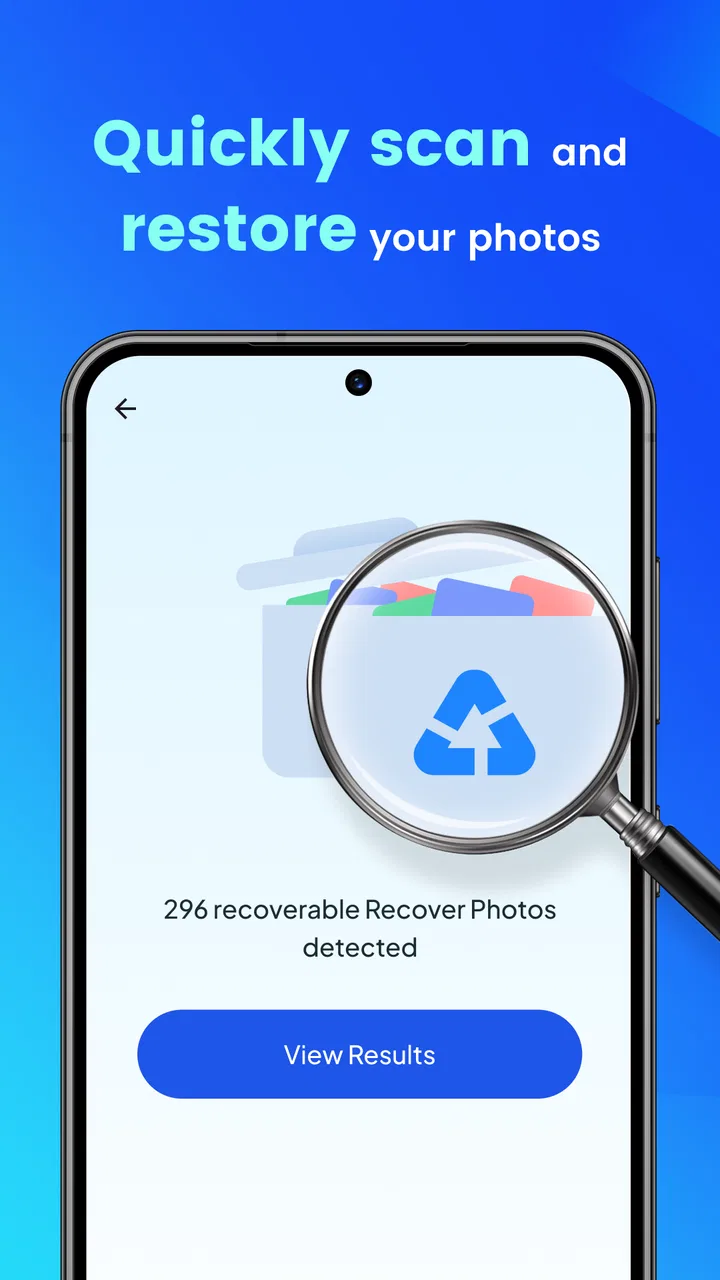
Photo Recovery is a powerful app designed to help users retrieve deleted or lost photos from their devices. It scans internal and external storage to recover images that may have been accidentally deleted or lost due to a system crash. The app provides a preview of recoverable photos, allowing users to select which images to restore.
02Is Photo Recovery safe to use on my device?
Yes, Photo Recovery is safe to use. It does not require root access, which means it won’t alter your device’s system files. The app focuses solely on scanning storage locations for recoverable images, ensuring that your current data remains untouched and your device's integrity is maintained.
03Does Photo Recovery support all image formats?
Photo Recovery supports a wide range of image formats, including popular ones like JPEG, PNG, and BMP. While it covers most common formats, it’s always best to check the app’s specifications for a detailed list, especially if you have images in less common formats that need recovery.
04Can Photo Recovery retrieve photos from external storage devices?
Yes, Photo Recovery can scan both internal and external storage devices. This includes SD cards and USB drives connected to your Android or iOS device. Users can select which storage locations to scan, making it versatile for recovering photos from various sources.
05What are the limitations of Photo Recovery?
While Photo Recovery is effective, it has limitations. Recovery success depends on how much new data has overwritten the storage space where the deleted files were located. Additionally, it may not recover photos deleted before the app was installed. Always back up important data to prevent permanent loss.
Pros
- Easy-to-use interface for all users.
- Recovers multiple file types efficiently.
- Quick scan and recovery process.
- Supports cloud backup integration.
- Preview files before recovery.
Cons
- Limited free version features.
- Requires internet for some functions.
- May not recover all files perfectly.
- Ads can be intrusive at times.
- Occasional app crashes reported.

Photo Recovery
Gallery